BUILT FOR TEXAS OFFICERS

Texas law.
When you need it.

Official Texas statutes, linked definitions, case law, and legal references in one searchable workspace.

Free to use. Open the guide and start searching.

INSIDE THE TEXAS FIELD GUIDE

Inside the Texas guide.

Current views from the Texas guide: browse chapters, read official text and definitions, filter results, and explore case law.

01 / READ

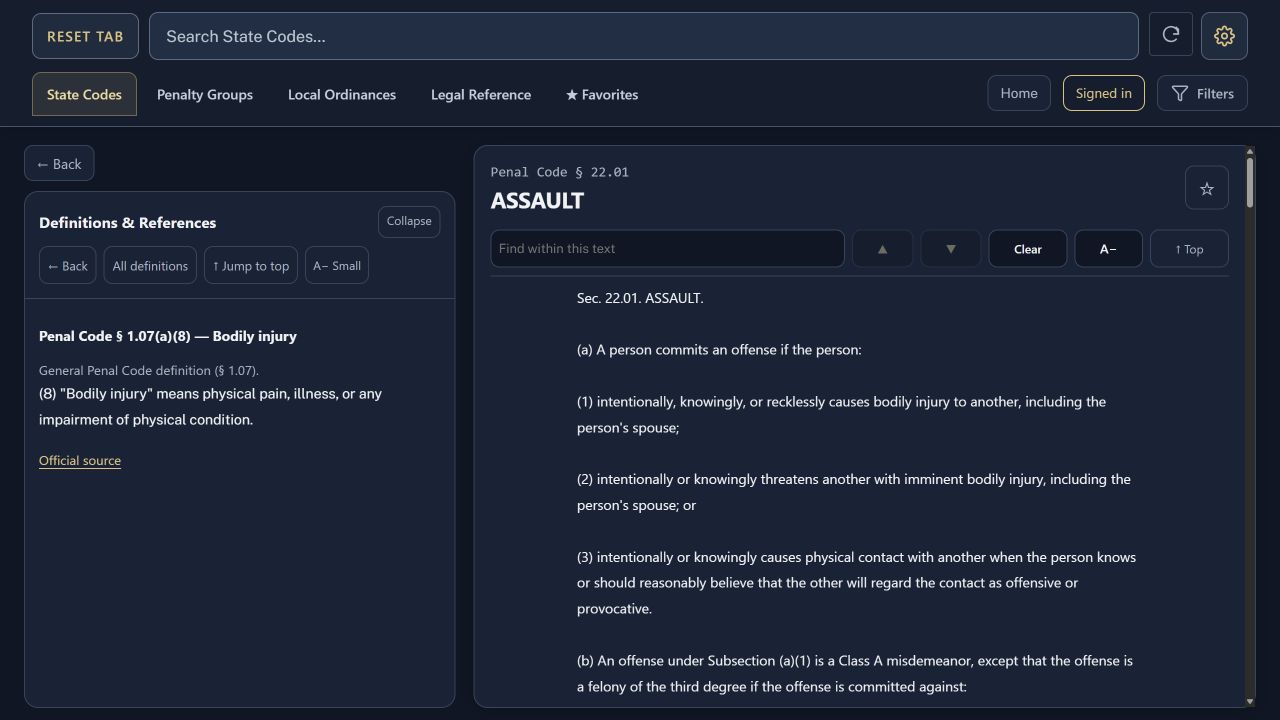
The statute, with its context beside it.

Open official text in its own reader. Read linked definitions and cited provisions in the adjacent Definitions & References panel.

Independent scrolling · Adjustable text size · Official source links

Texas Penal Code assault section with the bodily injury definition shown in the adjacent reference panel.
Statute & linked references
02 / BROWSE

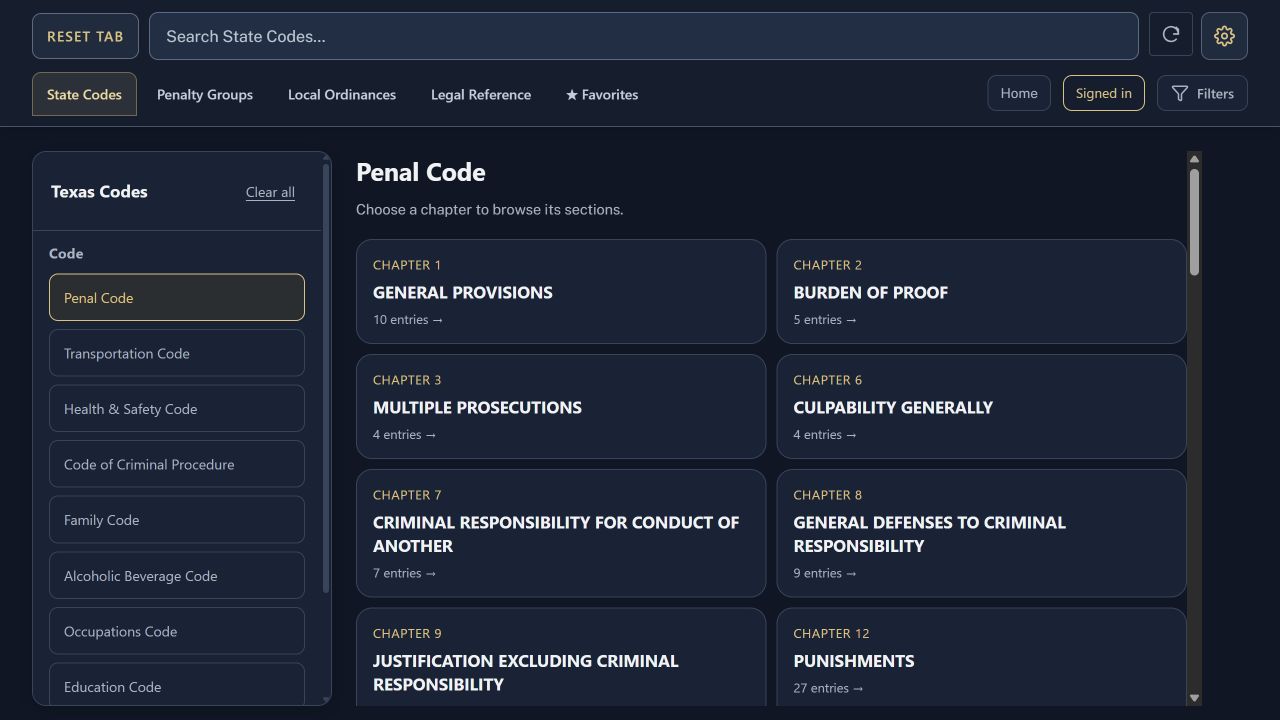
Find your code. Follow the chapter.

Browse Texas state codes and agency rules, select a chapter, and open a section directly from its title card.

State codes · DPS & TCOLE rules · Chapter navigation

Penal Code chapter cards beside the Texas code navigation sidebar.
Codes, chapters & sections
03 / FILTER

Focus on the tab you’re using.

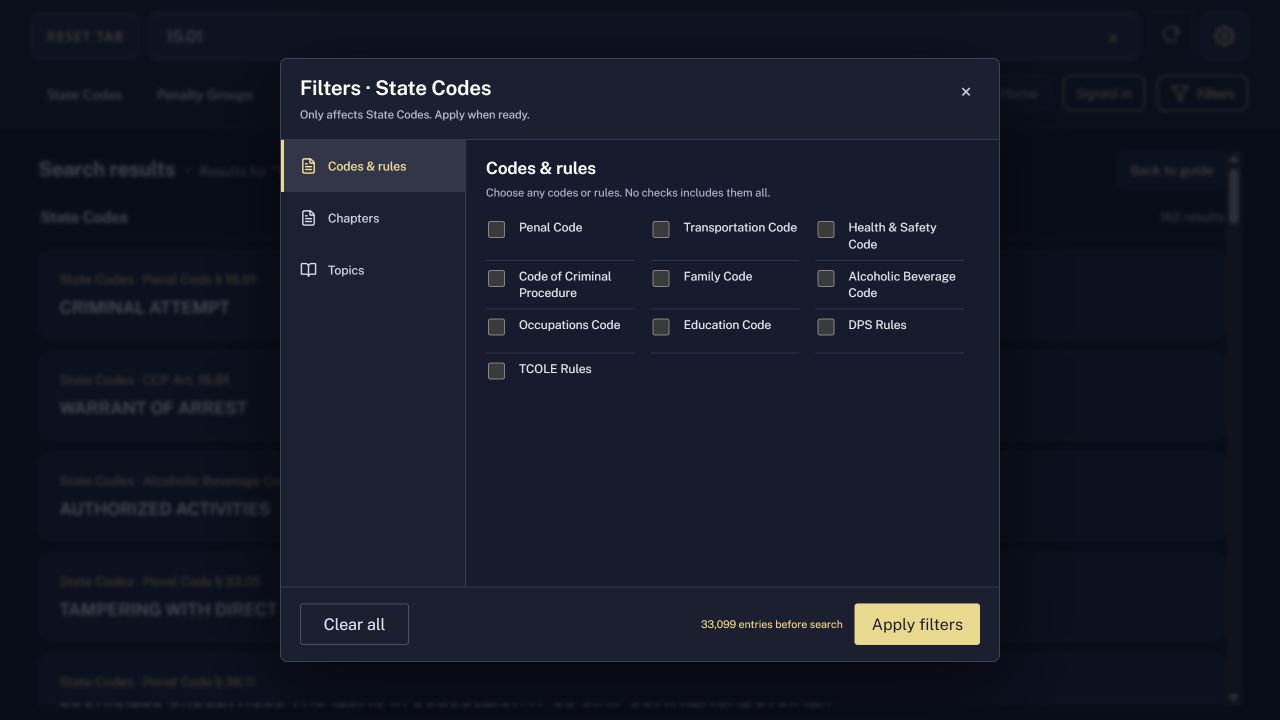
Search within the selected tab, then narrow State Codes by code, chapter, or topic in one filter menu.

Tab-specific search · Tailored filters · Apply when ready

State Codes filter menu showing code and rule checkboxes in three columns, with an Apply filters button.
Search & tab-specific filters
04 / REFERENCE

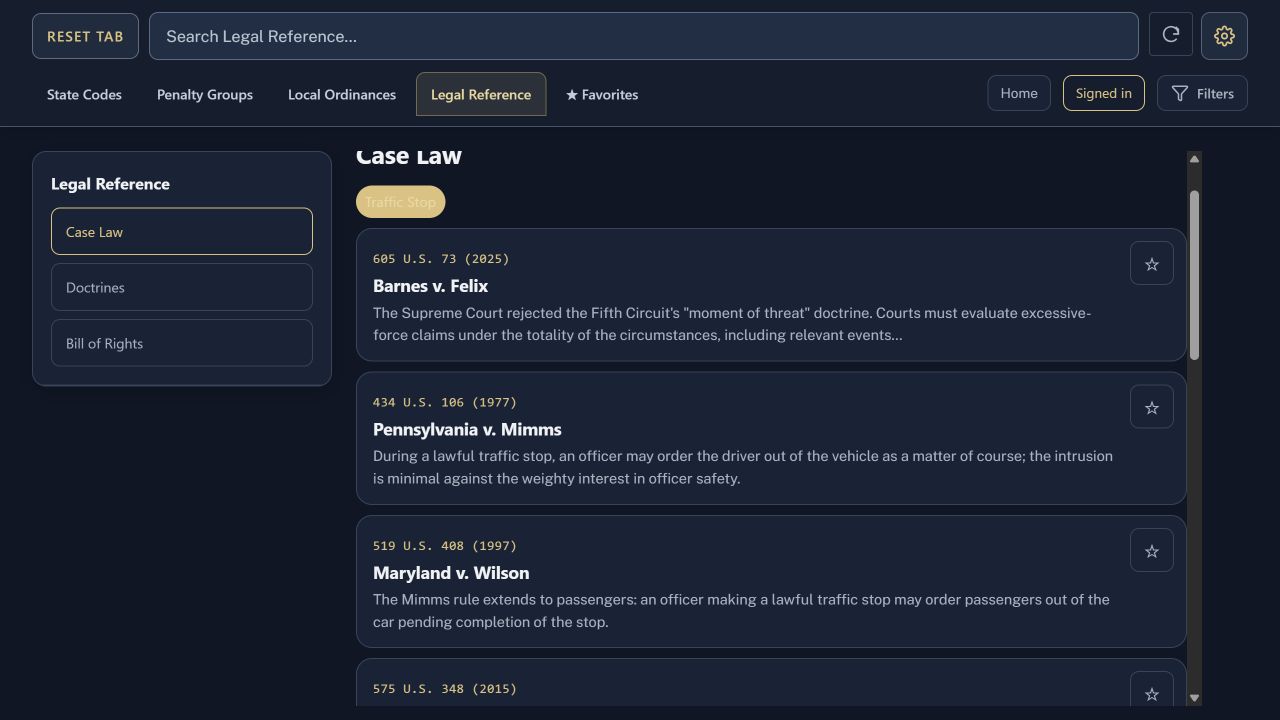
Browse case law by situation.

Open a case card within the guide, then follow verified Justia opinion links where available.

Case Law · Doctrines · Bill of Rights

Traffic Stop case-law cards in Legal Reference, with summaries and favorites controls.
Case law by topic

Save your place.

Keep frequently used entries in Favorites.

Make it comfortable.

Choose light or dark, accent colors, card shapes, and reading text sizes.

Prepare for offline use.

Save the guide while online, then check it without a connection before relying on it.

City downloads · Training · Updates · Frisco, Prosper, and Little Elm ordinance packs are available on the Local Ordinances page to download into your guide. What the guide includes · Sources and updates · How offline access works

FREE WEBSITE

Open access on the web.

Search and read all website guide content for free.

Open the free Texas guide

AT YOUR DESK. OUT IN THE FIELD.

Designed to travel
with the work.

A consistent Texas workspace on your desktop or MDC, with offline reference access after the guide has finished saving on your device.

01

Start with Texas

Keep Texas terminology, source references, and field-use context together in one guide.

02

Read the source

Official statutory text, linked definitions, and citations to source material are organized for direct reference.

03

Prepare before you go offline

While online, open the guide, go to Settings → Offline & updates, and choose Save complete guide offline / check updates. Wait for “Guide updated and saved.” Test it without a connection before relying on it. Free website access has no sign-in deadline. External sources and sign-in need internet; browser storage can be cleared by device policy.

ACCESS & AVAILABILITY

A few things to know.

How do I get started?

Open the free guide. No account is needed.

Can I use the guide offline?

Save the complete guide while online and test it without a connection. Free website access has no sign-in deadline. External source links need internet; browser storage can be cleared by device policy.

Are city ordinances included?

Download Frisco, Prosper, and Little Elm packs from Local Ordinances for free.